BookFusion - EPUB & PDF Reader
Read & Sync Your eBooks, Progress, Highlights & Notes. eBook Reader & Manager
Download

About
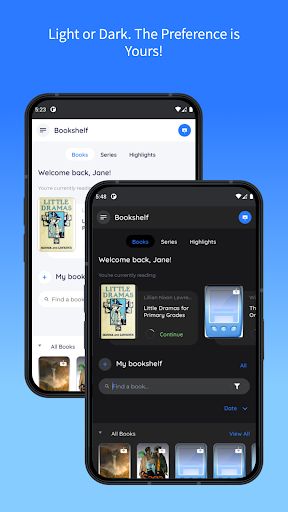
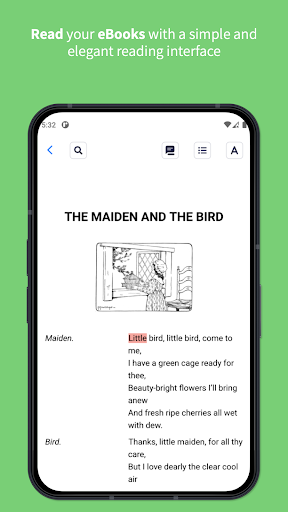
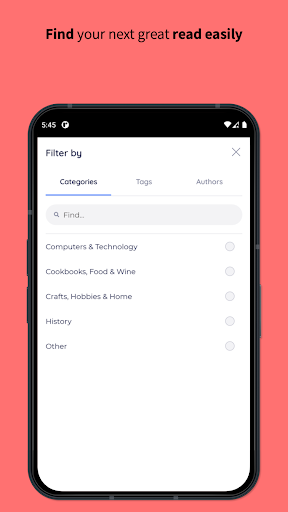
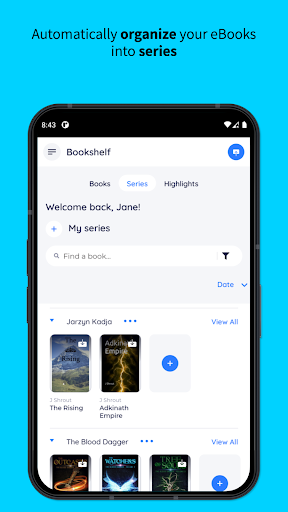
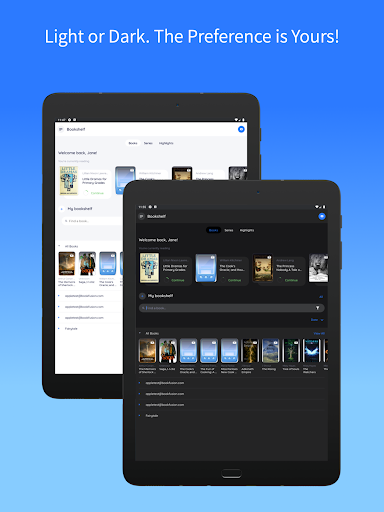
Thousands of readers use BookFusion to manage, read and enjoy over 2 million eBooks. BookFusion is the best cross platform eBook reader and manager with cloud sync that allows you to easily read, organize and manage your eBooks across all your devices. NOTE: You need to create an account using your Email or sign in with Twitter, Google, Apple IDF or Facebook to allow us to sync your ebooks, bookmarks, comments and highlights across all devices, our web reader, use send to kindle and other functionality. DO NOT INSTALL IF YOU DO NOT WANT TO CREATE AN ACCOUNT. ◇ Features ◇ - Integrated Reader - Read all your EPUB, PDF, & CBZ/CBR eBooks both online and offline with clean and intuitive interface . - Extensive Reader Settings - Customize your reading experience from vertical/horizontal margins, line spacing, fonts, bold/italics, colors and much more. - Seamless Syncing - Sync your reading progress, highlights & annotations, eBooks and bookmarks across all devices. Pick up exactly where you left off. - Organize & Manage - Easily organize and access all your eBooks seamlessly whether offline or online. Organize your eBooks using virtual bookshelves or place them into Series. Quickly find the eBook you are looking for using the category, tags or author filters. The perfect eBook Organizer & eBook Manager in one. - Light & Dark Mode – Dark or Light the preference is yours! - Highlights & Annotations - Highlight with your preferred colors and add tags to highlights to keep them organized. Sort your highlights by date or reading progress and easily export them to use in other apps in CSV, Markdown, HTML and PDF formats - eBook Cloud - Keep your entire eBook collection at the tips of your fingers by storing them in the cloud and downloading them to read offline only when you need to. Any title just a click away. - Send to Kindle – Organize and quickly send your next read to your Kindle device with one click. - Calibre Integration - The perfect Calibre Ally. Sync metadata, custom columns, series, tags and incremental updated PDF & EPUB files to all your devices. Your entire Calibre library on your devices when you need it. - Image/Area Highlights & Annotations (PDFs) - Easily annotate/highlight images, tables, graphs or even text. Any element at all in your PDF can now be highlighted and annotated. - EPUB 3 Support - With support for the full EPUB 3 spec. You can read eBooks with rich interactivity support that includes video, audio, Q&A, games and much more. NOTE: You will need to install the BookFusion Calibre Plugin to sync your eBooks to all your devices. See the tutorial at https://support.bookfusion.com/hc/en-us/articles/360018852052-Installing-Using-the-BookFusion-Plugin-for-Calibre - Open With - Don’t like the integrated reader? Use the open with functionality to send and read your eBooks with your preferred app. No lock-in - Metadata & Book Details – Know what an eBook is about at a glance or easily edit the cover, description, author tags and other information. - Additional Formats Supported via Web - These include: AZW, AZW3, AZW4, CBC, CHM, DJVU, DOCX, FB2, FBZ, HTML, HTMLZ, LIT, LRF, PRC, PDB, PML, RB, RTF, SNB, TCR, TXT, TXTZ in a single app. These must be uploaded via the Web App before using the Android App - Free eBooks - Browse the store to access over 70,000 free eBooks or borrow from NASA, Standard eBooks and others ◇ Other ◇ Have feedback or just want to chat? We would love to hear from you. Drop us a line at [email protected] or join us for a chat on Discord at https://www.discord.gg/7v34UYq Businesses and other organizations can also create their own private library to share eBooks with their members. Visit us on the Web or reach out to us at [email protected] to get more details about launching a private library for your organization Terms of Service - https://www.bookfusion.com/terms Privacy Policy - https://www.bookfusion.com/privacy
Info
Genre
Books & Reference
Rating
Rated for 3+
Release
Apr 17, 2015
Last Update
<br>- Full Custom Fonts support - This now means when you install your custom fonts, the associated styles like bold, italics and bold italics. Your custom fonts will also now automatically be applied between your Android and iOS device if the same font is installed on your devices. <br><br>NOTE: This update requires you to reinstall your custom fonts just this once if you previously used <br><br>- Detailed download failure messages. <br><br>** Fixes **<br><br>- Fix Gson serialization crash in BookDictionaryConverter<br>





Reviews
Charlie Hubbard
Definitely needs a update the app has crashed on my several times while i was trying to listen to my books. It's a good app I've been using it for years but there are a lot of bugs recently that need to be fixed or I'll be moving on to something else.
Luke Clemens
Hi my name is BookFusion. When you highlight text I will crash. For months. I refuse to be fixed. -- EDIT: it was finally fixed!
Abdelraouf Aly
Support team is phenomenal, very satisfied in my subscription.
Andrii Pukavskyi
Needed reader which syncs. They try to sell their disk spade which I don't need at all
Camille Soriano
I think I encountered a bug - whenever I try to change the font size both the small size a and big size A are tapped simultaneously which is annoying, other than that great app
tbny
no local only
John Tobias
Seems ok. I do not mind creating an account or paying for more sync capacity, The sync is still a little hinky as their solution is to back out of the book and back in so it syncs, a sync automatically would be better, but overall, it is a great app and the plug-in for Calibre is spectacular.
Ahmet Yusuf Doğan
BookFusion is an excellent eBook reader. I love how well the library and bookshelf features are designed—clean, intuitive, and super helpful for organizing my collection. My only small complaint is the black bars at the top and bottom of the screen, which slightly reduce the full-screen reading experience. Still, it’s a great app overall and one I enjoy using regularly.
Anubhav
Asked to sign in
Mostafa Abdel-Latif
another update was applied today, after this latest update, it reworked well again. thank you
walla
After the 10/15 update, the dictionary pop-up no longer appears — it just redirects to a Google page instead. Is it no longer possible to connect a dictionary app to look up words?